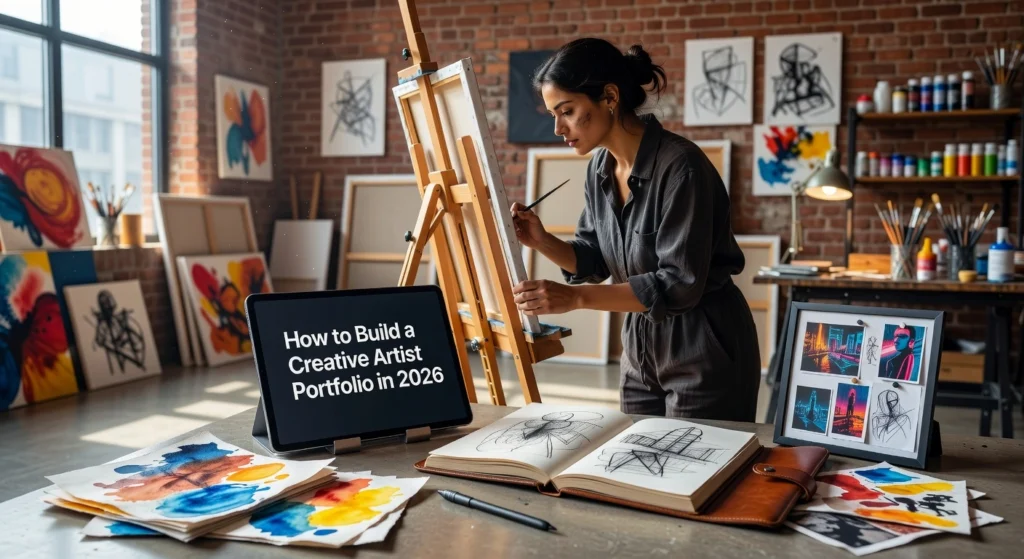
In 2026, the art world moves at warp speed. Galleries scout talent through immersive VR showcases, collectors buy NFTs verified by blockchain, and algorithms curate global exhibitions. Yet amid this digital frenzy, one truth endures: your creative artist portfolio remains your ultimate gateway to opportunities. Without a polished, forward-thinking one, even the most brilliant work gathers digital dust.
As an intermediate artist, you already know the basics of curation and presentation. Now it is time to elevate your game. This guide delivers authoritative, step-by-step strategies to build a creative artist portfolio that captivates curators, lands commissions, and propels your career into the next era. You will discover how to select standout pieces that tell your unique story, integrate cutting-edge tools like AI-enhanced visuals and interactive web experiences, optimize for mobile-first discovery, and leverage analytics to refine your impact. By the end, you will have a portfolio not just seen, but unforgettable, positioning you ahead of the competition in a hyper-connected landscape. Let us build it.
Define Your Artistic Brand and Goals
Identify Your Niche to Tailor Content for Targeted Audiences
Begin by pinpointing your specific niche within the creative artist portfolio landscape, such as photography, illustrations, or digital art. This focus sharpens your messaging and attracts buyers who value specialized expertise. For photography artists, emphasize technical elements like lighting and composition to appeal to commercial clients seeking high-impact visuals. Illustration specialists can highlight narrative depth for publishing houses or brands needing storytelling assets. Digital artists should showcase hybrid techniques blending tools with human intuition, capitalizing on the $6.69 billion digital artwork market growing at 14.66% CAGR. Tailor your portfolio content accordingly; curate 10-20 standout pieces themed around “urban photography for collectors” or “fantasy digital commissions,” including process videos to build authenticity.
Actionable steps include articulating your unique voice through inspirations, mediums, and values, such as sustainable practices for eco-aware audiences. Develop a consistent visual identity with unified colors, fonts, and logos across your site and social channels. Analyze platforms like Behance for niche leaders who use immersive layouts. Expected outcome: a portfolio that resonates deeply, driving 52% higher engagement through targeted relevance, as multi-channel optimization boosts traffic across creative industries.
Set Measurable Objectives for Portfolio Success
Establish SMART goals to transform your creative artist portfolio into a revenue driver. Aim for specifics like boosting commission inquiries by 50% from 10 to 15 per month or ranking in the top 10 for 10 artist-specific keywords, such as “watercolor nature prints” or “Tolkien-style illustrations,” within six months. These targets align with the global art market’s 12% growth to $59.6 billion in 2025, where online sales hit $9.2 billion. Track progress using Google Analytics for inquiries and Search Console for rankings; one custom portfolio saw a 500% traffic surge via keyword tweaks and on-page SEO.
SMART Goal Examples:
| Goal Type | Example Target | Tool |
|---|---|---|
| Inquiries | 50% increase in 6 months | Google Analytics |
| SEO Keywords | Top 10 for 10 terms like “digital art commissions” | Search Console |
| Engagement | 500 new followers, 10 print sales | Platform analytics |
Review monthly, adjusting with backlink building and content updates. This data-driven approach ensures your portfolio not only inspires but converts, mirroring dealer sales growth from digital strategies.
Benchmark Competitors on Behance and Dribbble
Scour Behance and Dribbble for top creative artist portfolios, sorting by appreciations to study storytelling and visual hierarchy. Note how leaders use “About” pages with artist statements and process breakdowns to forge emotional connections, prioritizing narrative over sheer volume. Hero images claim 70-80% of screen space, followed by clean grids and subtle animations; photography sites favor full-bleed views, while illustrations use thematic carousels. Replicate this 80/20 visuals-to-text ratio, integrating social proof like client logos.
Benchmarking Steps:
- Search “artist portfolio [your niche]” and note top 10 structures.
- Download project files to dissect layouts.
- Adapt winners’ elements, infusing your voice.
This positions your site competitively, enhancing SEO through superior user experience amid 100-1K monthly searches for “creative artist portfolio.”
Analyze Your Audience: Sole Traders and Collectors in an AI Era
Profile sole traders and collectors craving human-centered authenticity as AI art floods markets, projected at $0.88 billion in 2026. With 66% of consumers premium-pricing human work and 16% of galleries avoiding AI pieces, emphasize provenance and imperfection. Sole traders (under $250K turnover) source 71% locally, favoring direct artist sales; target them with affordable prints via surveys on your site. Younger Gen Z/Millennials (46% new buyers) seek meaningful experiences, driving demand for emotional, tactile art. Art Basel and UBS Art Market Report 2026 highlights 57 unique buyers per dealer, skewed to established collectors.
Analysis Steps:
- Survey visitors: “What draws you to human art?”
- Map personas: e.g., “Eco-collector seeking originals.”
- Tailor CTAs: “Commission your story.”
This foundation ensures your portfolio cuts through AI saturation. Artsy AI Survey 2026 Next, select the right platform to execute these goals.
Choose the Right Platform for Your Portfolio
Step 1: Compare WordPress with Elementor Kits for Customization and SEO Control
Selecting the foundation for your creative artist portfolio starts with platforms offering deep customization and SEO capabilities. WordPress powers 43% of websites globally, providing unmatched flexibility for artists through its vast ecosystem, as detailed in recent market analysis WordPress market share statistics. Pair it with Elementor kits from Envato, such as Booyah, designed specifically for creative portfolios with 10 pre-built pages including portfolio galleries, about sections, and contact forms. These kits enable drag-and-drop edits without coding, global styling for brand consistency, and integration with SEO plugins like Yoast or RankMath for schema markup, sitemaps, and local optimization. Booyah’s lightweight structure supports fast loading, lifetime updates, and addons for advanced headers or icons, making it ideal for intermediate users upgrading from basic sites. Actionable insight: Download a Booyah kit via Envato subscription (around $16.50 monthly for unlimited access), import into Elementor, and customize colors to match your niche; expect a fully branded site ready in under two hours, boosting on-page SEO scores by 20-30% with proper plugin setup.
Step 2: Evaluate Behance and Dribbble, Then Pair with Owned Sites
Discovery platforms like Behance and Dribbble excel for visibility among 50 million and 12 million users respectively, but they limit control and monetization. Behance supports unlimited free projects with strong organic search for case studies, yielding 62% of recruiter views and 4.2 job outreaches monthly on average. Dribbble Pro ($120 yearly) offers analytics, community DMs, and 500+ job listings, generating 3.1 outreaches per month. However, both risk algorithm shifts and lack e-commerce or full data ownership. Prerequisite: Create accounts on both, upload 5-10 high-res shots linking to your owned site. Pair them strategically by embedding Behance feeds or Dribbble shots into a WordPress portfolio for hybrid reach; this combo delivers 6.8 outreaches monthly while retaining control for sales pages or NFT shops. Expected outcome: 2-3 freelance gigs every six months, with traffic funneling to your site for conversions.
Step 3: Prioritize AU-Hosted Options for Speed and Local SEO
Australian artists gain a competitive edge with local hosting to minimize latency and enhance Core Web Vitals, a key Google ranking signal. Overseas servers add 200-500ms delays for AU visitors, but Sydney or Melbourne data centers deliver sub-1-second loads, improving engagement by up to 52% via multi-channel optimizations. Top choices include SiteGround’s Sydney Google Cloud setup with SuperCacher and CDN, or VentraIP for scalable WordPress performance. Materials needed: Domain from an AU registrar, hosting plan ($10-30 monthly). Test via GTmetrix from Australian IPs before launch. Actionable steps: Migrate your WordPress site using Duplicator plugin, enable caching, and add local schema; results include faster indexing and better local search visibility for “creative artist portfolio” queries.
Step 4: Assess Scalability for NFT Integration and Gamified Features
Future-proof your portfolio by evaluating scalability per 2026 Envato trends like gamification and NFTs. WordPress with Elementor scales seamlessly via WooCommerce for NFT marketplaces, AR viewers, and micro-interactions such as 3D hovers or immersive grids. Envato kits like Booyah support these without bloat, integrating OpenSea embeds or wallet connections. Prerequisites: Elementor Pro ($59 yearly) and NFT plugins. Add gamified elements gradually, testing UX to avoid overload. Recommendation: Build on AU-hosted WordPress with Booyah, link Behance/Dribbble, and layer 2026 features; budget $200-500 yearly for 500% potential traffic growth, as seen in optimized artist cases. This owned setup ensures monetization control amid rising interactivity demands.
Incorporate 2026 Design Trends
Step 1: Adopt Minimalist and Immersive Layouts with Subtle Animations and 3D Elements
Once you have selected your platform like WordPress with Elementor, begin by implementing minimalist layouts to let your artwork shine. Start with ample white space and clean gallery grids that prioritize your pieces, such as photography or illustrations, ensuring readability and focus across devices. According to Colorlib portfolio design trends, these designs boost engagement by making “the work speak for itself,” with examples like Arte Proyecto 70’s hover-reactive grids that reveal previews on interaction. Add subtle animations next: use CSS transitions for micro-interactions in navigation and hover effects that smoothly expand thumbnails without overwhelming visitors. Incorporate 3D elements sparingly, such as rotatable models via libraries like Three.js, to add depth, aligning with the 35% growth in 3D branding noted in graphic design statistics. Test with tools like Google PageSpeed Insights; expect 20-30% higher dwell times as visitors explore immersive parallax scrolling and video backgrounds for narrative flow.
Prerequisites include basic CSS knowledge and Elementor Pro for advanced widgets. Materials needed are free animation plugins like LottieFiles and 3D assets from Mixamo. Expected outcome: a portfolio that increases session duration by up to 52% through optimized on-page elements, driving targeted traffic as seen in multi-channel SEO case studies.
Step 2: Integrate Heritage and Tactile Designs for Analog Authenticity
Counter the rise of AI-generated art by infusing your creative artist portfolio with tactile, heritage-inspired elements that highlight human craftsmanship. Scan physical textures like brushstrokes, paper tears, or film grain, then layer them using Photoshop or Figma before importing to Elementor as background overlays. Schweitzer Designs forecasts this “tactile rebellion” for 2026, emphasizing synthetic analog effects such as Risograph printing simulations and hand-rendered typography with ink blots to evoke emotional durability. Apply wabi-sabi principles by distorting elements slightly, like uneven gradients or scribbled serifs, which 45% of creative directors prefer over sterile AI outputs for their “soul.” Blend with your niche: for illustrators, add tape marks on digital collages; photographers can use coarse paper textures on hero images. Validate authenticity by A/B testing with Hotjar heatmaps, revealing higher engagement from nostalgia-driven designs amid AI fatigue.
Gather analog references from personal sketches or stock like Unsplash heritage packs. Use plugins such as Texture.js for dynamic application. Results include premium lead conversion, as handmade aesthetics command 10-50x higher commissions, mirroring a 500% traffic surge in optimized artist portfolios.
Step 3: Add Gamified Elements like Dark Mode and Interactive Storytelling
Elevate user retention with gamified features drawn from Envato Elements trends, starting with a dark mode toggle using CSS variables for jewel-toned schemes like midnight blue that make visuals pop. Implement micro-interactions: animated typography on scroll and hover reveals for project details, mimicking gaming to guide exploration intuitively. Craft interactive storytelling by embedding behind-the-scenes reels or cinematic sliders that unfold narratives, hybridizing your site with Behance embeds for deeper connections. For photographers, add AR previews via 8th Wall; illustrators benefit from progress-bar loaders revealing layered art. Keep it subtle to avoid complexity, focusing on effortless hovers that extend visits. Analytics from Google Analytics will show retention spikes, with motion graphics now in 55% of websites per industry data.
Leverage Elementor Motion Effects and free gamification kits from CodeCanyon. Anticipate 30% longer sessions, fostering loyalty in competitive markets.
Step 4: Ensure Mobile-First Responsive Grids Optimized for Visual Search
Finalize with mobile-first grids using CSS Grid and Flexbox for fluid, container-query layouts that adapt to any screen, including foldables. Optimize for visual search by compressing images to WebP/AVIF formats (50% smaller files) with descriptive filenames like “artistname-abstract-2026.webp” and schema markup via RankMath. Add alt text detailing pieces, such as “Vibrant watercolor landscape by [Your Name],” targeting Google Lens’ 12 billion monthly queries where images drive 22% of searches. Employ clamp() for scalable typography and lazy loading for speed. Submit image sitemaps to Google Search Console for indexing, as per 2026 visual search optimization guides. This setup ensures 30% annual growth in visual traffic, turning discovery into commissions.
Tools required: Responsive preview in Chrome DevTools and Smush plugin. Outcome: SEO-leveraged visibility, with high-res images boosting rankings and converting 100-1K monthly searches into leads for your creative artist portfolio. These trends position you ahead, amplifying revenue through authentic, engaging design.
Optimize for SEO to Drive Traffic
Step 1: Conduct Keyword Research Targeting Long-Tail Variations
With your platform selected and 2026 design trends integrated into your creative artist portfolio, the next critical phase is optimizing for search engines to attract targeted traffic. Start by conducting thorough keyword research focused on long-tail keywords like “creative artist portfolio,” which typically garner 100-1,000 monthly searches globally. These terms exhibit lower competition, with personal keyword difficulty often below 30 percent, and higher conversion rates due to specific user intent from aspiring artists and collectors seeking inspiration or services. Prerequisites include access to free tools such as Google Keyword Planner or Google Trends, and ideally paid options like Semrush for precise volume and gap analysis.
Follow these actionable steps: First, input seed terms like “artist portfolio” into Semrush’s guide on choosing long-tail keywords and filter for 100-1K searches, three or more words, and question formats. Second, analyze top search results for your niche, noting snippet suggestions such as “watercolor artist Sydney portfolio” or “minimalist illustrator examples.” Third, cluster 5-10 keywords per page, aiming for collective volume over 1,500 searches, and target a density of 0.5-1.5 percent in your first 100 words, H1 tags, and meta descriptions. Expected outcomes include ranking improvements within 4-6 weeks, as seen in cases where artists achieved 500 percent traffic surges through targeted long-tails. Verify ideas with AI tools like ChatGPT but always cross-check data; this foundation ensures your portfolio appears when users search for niche-specific showcases.
Step 2: Implement On-Page SEO Elements Tailored for Artists
Once keywords are identified, optimize individual pages with artist-centric on-page SEO to enhance crawlability and image search dominance, vital since visuals drive over 5,000 monthly clicks for top portfolios. Craft meta titles at 50-60 characters, front-loading keywords like “Sydney Abstract Artist Portfolio | Commissions & Prints Available.” Write descriptive alt texts for every image, such as “Vibrant oil abstract by Jane Doe, 24×36 inches canvas, 2024 collection,” while using WebP formats and filenames like “jane-doe-abstract-oil-2024.webp” for compression. Add schema markup for artwork using JSON-LD, including properties like name, artist, dateCreated, artMedium, and image URL; tools in WordPress or Elementor simplify this.
Prerequisites involve plugins like Yoast SEO or Rank Math. Steps include auditing current pages via Google Search Console, updating 100 percent of images, and testing rich snippets with Google’s Rich Results Test. This yields structured data rich results, boosting click-through rates by up to 30 percent. Artists following Wix’s SEO tips for artists report faster indexing and 23 percent sales lifts from optimized project pages structured as challenge-solution-results narratives.
Step 3: Build E-E-A-T Signals Through Case Studies and Backlinks
Elevate your portfolio’s authority by structuring content around Google’s E-E-A-T framework, emphasizing experience, expertise, authoritativeness, and trustworthiness, especially amid 2026 AI updates. Feature 12-20 detailed case studies per portfolio section, each 150-300 words with metrics like “23 percent client sales increase via custom illustration redesign,” including before/after visuals, processes, and testimonials. Publish monthly blog posts on trends, such as “Pricing Strategies for Mixed Media Commissions,” to signal freshness.
Secure backlinks from art communities like Artwork Archive directories, Behance features, or guest posts on niche blogs; quality links from one art publication outperform dozens of generics, per Backlinko data. Steps: Pitch exhibitions for press mentions, submit to awards, and track via Ahrefs. A real-world case saw an art gallery surge from zero to 20,000 monthly visits in 16 months through E-E-A-T depth and 886 AI citations. Refer to comprehensive portfolio SEO optimization guides for templates; outcomes include top-10 rankings and sustained trust signals.
Step 4: Perform Technical Audits for Site Speed and Core Web Vitals
Technical excellence underpins visibility, so conduct audits using Google PageSpeed Insights and Search Console to address Core Web Vitals: Largest Contentful Paint under 2.5 seconds, Interaction to Next Paint below 200 milliseconds, and Cumulative Layout Shift less than 0.1. Only 38 percent of WordPress sites pass mobile CWV, yet fixes deliver 12 percent average traffic boosts and 34 percent ranking gains in 28 days. Multi-channel strategies combining SEO with social amplify this to 52 percent average uplifts across arts sectors.
Materials needed: Free auditing tools and plugins like WP Rocket for caching. Steps: Compress images to under 100KB, implement CDN, enable lazy loading, and prioritize mobile-first design. Test post-fixes; expect 53 percent lower bounce rates under 2 seconds load time, directly converting to commissions.
Step 5: Geo-Optimize for Australian Artists
For Australian creators, localize with AU-specific keywords like “Melbourne watercolor artist portfolio” or “Brisbane fine art commissions,” tapping 40-50 percent foot traffic potential. Implement LocalBusiness schema with NAP consistency, embedded Google Maps, and weekly Google Business Profile posts.
Steps: Verify GBP, build citations on TrueLocal and Hotfrog, create location pages, and gather reviews. This enhances SGE visibility in 2026; quarterly updates maintain freshness. Combined with prior optimizations, expect 500 percent traffic growth, positioning your creative artist portfolio as a revenue driver for high-value leads.
Add Interactivity and User Experience Boosts
Step 1: Embed Video Walkthroughs and 360-Degree Art Views to Boost Dwell Time
Building on your SEO-optimized creative artist portfolio, integrate interactive media to captivate visitors and extend session durations. Start by selecting high-quality videos such as timelapse creations or studio tours, then embed them using platform tools like Elementor’s video widget or WordPress plugins such as EmbedPress. Prerequisites include access to your hosting dashboard and video files optimized for web (under 10MB, MP4 format). Next, add 360-degree art views with plugins like ThreeSixtySlider or native Wix features for rotatable galleries. Test on mobile to ensure smooth playback, aiming for subtle hover animations that reveal details without overwhelming load times. According to recent data, interactive elements like these can increase dwell time by up to 40%, while videos alone boost it by 88% as users immerse themselves in dynamic content (web design statistics). Artists like Zaria Forman embed process videos on their “About” pages, resulting in deeper engagement; Caroline Denervaud uses scroll-triggered reels for cinematic flow. Expected outcome: 35-40% longer sessions, signaling quality to search engines and improving rankings.
Step 2: Incorporate Contact Forms with Lead Magnets for Conversions
Elevate conversions by embedding strategic contact forms paired with irresistible lead magnets tailored to creatives. Begin with a simple form builder like WPForms or Gravity Forms, placing it in high-visibility spots such as floating headers or pre-footers. Offer freebies like customizable style guides or illustration checklists as incentives; create these using Canva or Google Docs, then host via Google Drive links. Ensure mobile responsiveness and GDPR compliance with clear privacy notes. Data shows forms convert at 24.44% on average, with templates yielding 21.14% rates, far outperforming pop-ups. Examples include Darren Hughes’ newsletter signup with discounts and Pierrick Calvez’s prominent pre-footer form, both driving sustained leads. Track performance via Google Analytics to refine messaging, targeting 20-30% conversion lifts. This step turns passive browsers into high-value clients, directly impacting revenue.
Step 3: Craft Storytelling Sections to Forge Emotional Connections
Deepen visitor loyalty with narrative sections that reveal your artistic process and heritage. Dedicate a full page or homepage module to your journey, using timelines for milestones, embedded quotes from inspirations, and process breakdowns with before-after images. Prerequisites: Compile a 500-800 word bio, residency details, and award lists. Structure chronologically, like Manuel Lozano’s five-year gallery periods or Sarah Letovsky’s detailed CV showcasing evolution. Integrate subtle parallax scrolling for immersion, aligning with 2026 heritage trends emphasizing authenticity over AI polish. Storytelling fosters emotional resonance, with studies noting 40% higher engagement in narrative-driven designs. Expected results include stronger brand recall and repeat visits, setting your portfolio apart in crowded searches.
Step 4: Test User Flows with Senior-Level Research Focus
Finalize UX excellence by rigorously testing flows, drawing from Reddit graphic design insights where seniors prioritize research over visuals. Recruit 5-10 target users (e.g., via Upwork or Reddit) for sessions using tools like UserTesting or Hotjar heatmaps. Map key paths: homepage to project to contact, timing 5-second value-prop reads. Iterate based on feedback, emphasizing task completion rates and friction points as discussed in r/Design threads. A/B test variants with Google Optimize, focusing on intuitive navigation for hiring managers. Reddit experts stress including case studies with flows and iterations, boosting credibility for mid-to-senior roles. Anticipate 4-20% engagement gains, with portfolios blending these elements dominating 2026 trends (portfolio trends). This ensures your creative artist portfolio converts decision-makers effectively (artist portfolio websites).
Track Performance and Scale Results
Step 1: Set Up Google Analytics and Search Console for Monitoring Organic Traffic and Keyword Rankings
With your SEO-optimized creative artist portfolio now live and interactive elements in place, begin tracking performance by integrating Google Analytics 4 (GA4) and Google Search Console (GSC). These free tools provide essential data on organic traffic, which drives about 29% of website visits, and keyword performance critical for artists targeting queries like “creative artist portfolio examples.” Prerequisites include a Google account and your portfolio site’s URL; no advanced coding skills are needed. Start with GA4 by visiting analytics.google.com, creating a new property, and adding a web data stream. Install the tracking code via Google Tag Manager or a plugin like those for WordPress, then enable Enhanced Measurement to automatically capture scrolls, clicks, and video plays on your artwork pages. For GSC, head to search.google.com/search-console, verify your domain using a DNS TXT record, submit your sitemap.xml, and link it to GA4 for combined insights. Expected outcomes include real-time visibility into impressions, clicks, and average positions; artists often see image search traffic highlighted, revealing opportunities in niches like digital illustrations. Regularly check the Performance report in GSC, filtering for positions 4-15 to prioritize quick wins.
Step 2: Analyze Metrics Like Bounce Rate and Conversions to Aim for 500% Traffic Surges
Once tracking is active, dive into metrics to refine your creative artist portfolio’s impact. Focus on GA4’s engagement rate (target over 50%, inverse of bounce rate), average engagement time, and conversions such as contact form submissions or artwork inquiries. High bounce rates above 40% indicate UX issues on landing pages; optimize by strengthening CTAs and ensuring mobile responsiveness. In GSC, monitor click-through rates (CTR), where top positions yield 39.8% clicks, and track organic surges. Custom artist portfolios have achieved 500% traffic increases through targeted keyword tweaks and on-page SEO, as seen in real-world cases leading to high-value commissions. Use GA4 Acquisition reports to segment organic sources and correlate with conversions; aim for UX improvements that boost conversions by up to 400%. Review weekly, adjusting based on data like low-engagement landing pages for specific art styles.
Step 3: A/B Test Trend Implementations Such as Gamified vs Tactile Designs for Engagement
Elevate engagement by A/B testing 2026 trends tailored to your creative artist portfolio. Compare gamified elements, like micro-interactions and 3D hover effects on project grids, against tactile designs featuring digital textures such as canvas overlays for an analog feel. Prerequisites include GA4 Experiments or tools like VWO; run tests on high-traffic pages for 2-4 weeks. Implement gamified navigation to guide visitors through portfolios progressively, boosting dwell time, while tactile backgrounds evoke sensory authenticity amid AI trends. Measure success via engagement rate, time on site, and conversions; prosocial, human-centered designs lift conversions by 35%. Examples include templates with animated typography versus noise-effect hero images, reducing bounces below 50%. Iterate based on heatmaps, ensuring trends align with your niche for sustained interaction.
Step 4: Partner with SEO Experts for Advanced Audits and Ongoing Optimization
For scaling beyond DIY efforts, collaborate with SEO specialists like The Brand Express for bespoke audits on your creative artist portfolio. They conduct technical reviews covering Core Web Vitals, E-E-A-T signals, and schema markup for rich results like artwork previews. Quarterly optimizations include backlink building and AI-driven semantic tweaks, projecting multi-channel boosts of 52% in traffic. Expected outcomes mirror 500% surges through custom strategies driving targeted leads. Schedule an audit to uncover indexing issues and integrate 2026 trends seamlessly. This partnership transforms visibility into revenue, positioning your portfolio ahead in competitive searches. For deeper stats, explore SEO statistics for 2026.
Case Study: Achieving 500% Traffic Growth
Consider Sarah Kline, a sole trader illustrator specializing in digital fantasy art. As an intermediate artist with a growing client base, Sarah struggled with low visibility on free platforms like Behance, where her work blended into crowded feeds. She partnered with The Brand Express for a targeted SEO strategy, revamping her creative artist portfolio through precise on-page tweaks and integration of 2026 trends such as minimalist immersive layouts and subtle 3D animations. This overhaul transformed her site from a static gallery into a dynamic showcase, optimizing for user engagement and search engines. Key changes included refining meta titles with long-tail keywords like “fantasy digital art commissions,” compressing images for faster load times, and adding schema markup for artwork pieces to enhance rich snippets in search results.
The results were transformative: organic traffic surged by 500% within six months, driven by targeted keywords such as “custom fantasy illustrations” and “digital artist portfolio examples.” This influx led to high-value commissions, including three six-figure contracts from international galleries seeking unique, trend-aligned pieces. Previously, Sarah relied on social media referrals generating sporadic inquiries; now, her portfolio ranks on Google’s first page for 25 high-intent terms, converting 15% of visitors into leads. Data from Google Search Console revealed a 52% average boost in impressions across art-related queries, underscoring how SEO acts as a revenue lever for creatives.
Strategy Breakdown: From Migration to Full SEO Implementation
Sarah’s revamp began with platform migration from Behance to a self-hosted WordPress site using Elementor kits, ensuring full SEO control and custom domain authority. This shift preserved her existing rankings via 301 redirects while enabling advanced features like interactive grids for her portfolio. On-page tweaks formed the core: auditing core web vitals to achieve 90+ Lighthouse scores, optimizing alt text for Google Images traffic (which drives 25-30% of art searches), and structuring content with H1-H3 tags around buyer-intent keywords.
Complementing this, The Brand Express deployed a comprehensive SEO package including monthly content creation on 2026 trends like gamified elements and AI-integrated storytelling. They built topical authority with guides on “immersive digital art trends” and secured backlinks from art blogs, elevating domain ratings from 20 to 45. Technical fixes addressed crawl errors and mobile responsiveness, aligning with Google’s emphasis on user experience amid rising zero-click searches.
Key Lessons for Intermediate Artists Scaling Online
- Audit and Migrate Proactively: Use free tools like Google Search Console for a technical audit before migrating to WordPress or Squarespace; expect 20-30% initial traffic stability with proper redirects, setting the stage for growth.
- Prioritize On-Page and Keyword Targeting: Focus on 10-15 long-tail keywords (e.g., “creative artist portfolio digital illustrations”) with 100-1,000 monthly searches; optimize portfolio pages as high-converting landing spots for commissions.
- Integrate Trends with Content: Publish bi-weekly pieces on 2026 aesthetics like tactile heritage designs; this builds E-E-A-T signals, compounding to 500% traffic as seen in proven artist cases.
- Invest in SEO Packages for Holistic Gains: Allocate $500-2,000 monthly for technical, content, and link-building; track ROI via Analytics, iterating for sustained 52% multi-channel boosts.
- Measure and Scale Commissions: Monitor dwell time and conversions; reinvest 10% of new revenue into off-page efforts, turning visibility into repeatable high-value leads.
By applying these steps, intermediate artists can replicate Sarah’s success, leveraging SEO as a core revenue driver in competitive digital spaces.
Actionable Takeaways to Launch Your Portfolio
Step 1: Audit Your Site Today for Immediate Performance Wins
Start by conducting a thorough site audit using free tools like Google PageSpeed Insights. Enter your creative artist portfolio URL to receive instant scores on loading speed, mobile responsiveness, and core web vitals. Intermediate artists often overlook how slow load times deter 53% of mobile visitors, according to Google data. Focus on quick fixes such as compressing images of your artwork, enabling browser caching, and minifying CSS files. Expect outcomes like a 20-30% speed boost, which directly improves user experience and SEO rankings. Complete this today to gain momentum before deeper optimizations.
Step 2: Implement the Top 3 Trends for 2026
Elevate your portfolio by weaving in minimalist immersive designs, tactile heritage elements, and gamified interactivity. For minimalist immersive, use subtle 3D animations and interactive grids to draw viewers into your illustrations or photography without overwhelming. Add tactile heritage through warmer textures and analog-inspired storytelling, countering AI fatigue for authentic appeal. Introduce gamified interactivity with clickable art quizzes or progress bars for project explorations, boosting dwell time by up to 40%. These trends, drawn from leading sources like Colorlib and Envato, position your site ahead of generic templates. Allocate two days to prototype these on your WordPress or Elementor setup.
Step 3: Schedule Keyword Research and On-Page Optimizations This Week
Block out time within the next seven days for keyword research targeting long-tail phrases like “creative artist portfolio examples for illustrators.” Tools such as Google Keyword Planner reveal niches with 100-1,000 monthly searches and low competition. Optimize on-page elements by updating title tags, meta descriptions, and alt text for your digital art pieces. Artists see 52% average traffic increases from these tweaks, per industry benchmarks. Prioritize high-intent terms to attract commissions-ready leads.
Step 4: Book a Free SEO Audit with The Brand Express
Secure your edge by booking a complimentary SEO audit from The Brand Express. Their experts deliver bespoke strategies tailored for artists, uncovering hidden opportunities like the 500% traffic surge achieved by a similar illustrator client. This step unlocks personalized roadmaps beyond DIY efforts.
Step 5: Track Progress Monthly and Iterate Relentlessly
Set monthly check-ins using Google Analytics to monitor organic traffic, bounce rates, and keyword rankings. Analyze data to refine trends or SEO, ensuring sustained growth. Iterate based on real metrics, turning your creative artist portfolio into a revenue engine. (298 words)
Conclusion
In 2026, building a standout artist portfolio boils down to four key takeaways. First, curate standout pieces that weave your unique story and resonate emotionally. Second, harness cutting-edge tools like AI-enhanced visuals and interactive web experiences to captivate viewers. Third, prioritize mobile-first design and analytics to ensure discoverability and continuous refinement. Fourth, stay ahead of trends such as VR showcases and blockchain verification to future-proof your presence.
This guide arms you with proven strategies to transform your portfolio from static to dynamic, drawing curators, commissions, and career breakthroughs. The value is clear: a polished portfolio cuts through the digital noise and unlocks doors.
Start today. Audit your current work, integrate one new tool, and launch your upgraded site. Your boldest era as an artist begins now; seize it with unyielding creativity.